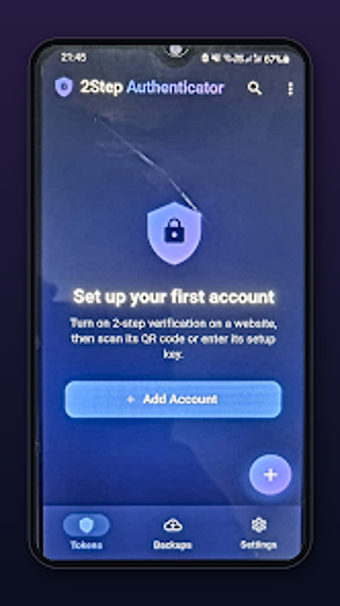
Local OTP generator for Android with strong privacy protections
Generate one-time passwords locally, scan QR codes, or import gallery images to set up accounts quickly; the app also supports both time-based and counter-based tokens. Al Mutakamil Solutions built this Android utility for managing two-factor authentication without needing network access. It includes biometric App Lock, Privacy Screen, and encrypted local backups for token safety. Security-minded individuals and professionals who need offline, device-resident 2FA tokens will find practical control over account access and backups.
What the app does and how it handles authentication
2Step Authenticator Protection generates OTPs on-device using both TOTP and HOTP standards, so codes update from the device clock or a counter as required. It supports account setup via an integrated QR code scanner, importing QR images from the gallery, or manual secret-key entry, which covers services that don't supply a scannable code. The app's offline code generation means no network round trips are required after initial setup.
How it affects device performance during regular use
Background processing is minimal because codes are computed locally on demand rather than via continuous syncing; biometric App Lock and Privacy Screen use native device authentication and task-switcher masking without persistent network activity. Encrypted local backups operate as explicit actions you trigger, so they don't continuously consume CPU or mobile data. These behaviours keep runtime impact confined to short bursts for scanning, generation, or backup operations.
How the app protects tokens and user data
The tool applies multiple on-device safeguards: screenshot protection, a Privacy Screen that obscures entries in the Android task switcher, and a biometric App Lock tied to the device's authentication hardware. Backups are stored locally in encrypted form, which preserves user control over token exports and restores. The combination of these measures means tokens do not leave the device unless you explicitly export them via the backup feature.
Is it approachable for non-technical users and advanced users alike
The setup workflow mixes automated and manual steps: QR scanning and gallery import speed initial enrolment, while manual configuration covers atypical services. The interface balances guided actions with explicit controls for backup and restore, so casual users can follow scans and prompts, and advanced users can enter secret keys or choose HOTP/TOTP modes directly. The app relies on familiar Android biometrics for authentication, reducing the need for separate credentials.
Solid local 2FA tool for privacy-focused Android users with one caveat
The app suits users who want offline token generation and strong on-device protections; its encrypted local backup and biometric locking support recovery and secure access. One trade-off is the ad-supported interface, which may interrupt the compact workflows typical for authentication apps. For anyone prioritizing device-resident control of their 2FA tokens, the app performs reliably with a small usability compromise.